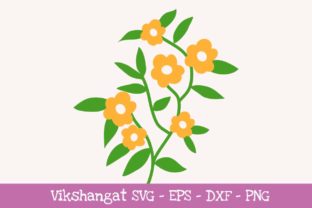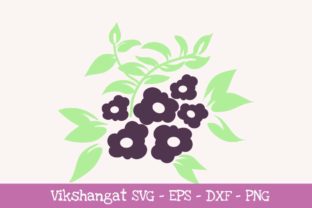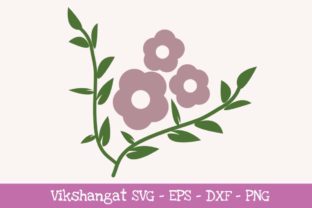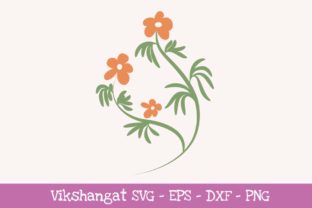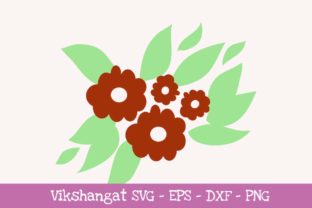
Dark Red Flowers Floral: Integrating Digital Assets into Creative Workflows
The Dark Red Flowers Floral design serves as a versatile digital asset for creators, small business owners, and hobbyists who rely on precision cutting machines and digital design software. This specific word art vinyl decal cutting file is engineered to bridge the gap between digital conception and physical production. Rather than being a standalone image, it functions as a foundational component within a broader manufacturing or crafting workflow. Understanding how to effectively implement this digital download requires a practical approach to file management, software compatibility, and material selection. For professionals and productivity-minded users, the value lies not just in the aesthetic of the dark red botanical motif, but in the seamless integration of the SVG, EPS, DXF, and PNG formats into existing production pipelines.
Strategic File Format Selection and Compatibility
Efficiency in digital fabrication begins with selecting the correct file format for your specific hardware and software ecosystem. The Dark Red Flowers Floral package includes four distinct formats, each serving a unique purpose in the production chain. Blindly importing files without understanding these distinctions often leads to workflow bottlenecks, tracing errors, or machine misreads. A deliberate selection process ensures that the design retains its vector integrity from screen to cut mat.
- SVG (Scalable Vector Graphics): This is the industry standard for most modern cutting workflows. It preserves layers, allowing you to manipulate individual elements of the floral design without losing quality. However, compatibility is key. For Silhouette Cameo users, the Designer Edition software is mandatory to utilize SVG files natively. Without this upgrade, the software will not recognize the vector data, forcing a fallback to less efficient formats.
- DXF (Drawing Exchange Format): This format acts as the primary contingency plan for Silhouette Basic Edition users. While functional, DXF files sometimes lose layer grouping upon import, requiring manual reorganization before cutting. Users should anticipate an additional five to ten minutes of prep time when using DXF over SVG to ensure all floral elements are correctly grouped and sized.
- EPS (Encapsulated PostScript): Best suited for professional graphic designers working in Adobe Illustrator or CorelDRAW. If your workflow involves modifying the Dark Red Flowers Floral design before sending it to a cutter—such as adding custom text or integrating it into a larger branding suite—EPS provides the most robust editing environment.
- PNG (Portable Network Graphics): This raster format is the ultimate failsafe. In rare situations involving legacy software or outdated firmware where vector files fail to load, the PNG allows for manual tracing. While tracing introduces an extra step and potential quality variance, having this high-resolution backup ensures project continuity regardless of technical limitations.
Pre-Production Preparation and Asset Management
Before initiating any cut or print job, proper preparation of the Dark Red Flowers Floral asset is essential for maintaining quality control. Digital downloads require immediate organization to prevent version confusion later in the production cycle. Upon acquisition, establish a dedicated directory structure that separates source files from working files. This distinction protects the original master assets from accidental corruption during experimentation.
Verify your machine’s firmware and software versions against the file requirements before starting a project. For entrepreneurs running a product-based business, this verification step should be part of a standard operating procedure (SOP). Testing the file on scrap material is a non-negotiable quality assurance measure, particularly when switching between SVG and DXF formats. Different file types can interpret node placement differently, potentially altering the intricacy of the floral details. By validating the cut path early, you avoid wasting premium vinyl and production time on failed runs.
Consider the color profile implications if you plan to use the PNG version for sublimation or printable vinyl. The "dark red" designation is descriptive, but monitor calibration varies. Always cross-reference the digital preview with physical color swatches or Pantone guides if exact color matching is required for client work. This proactive alignment prevents discrepancies between the expected deep crimson tone and the final output.
Execution Strategies for Cutting Machines
During the active production phase, the Dark Red Flowers Floral design interacts directly with your hardware settings. Successful execution depends on treating the digital file as one variable in a multi-factor equation that includes blade depth, pressure, speed, and material type. Intricate floral designs typically require sharper blades and slower speeds compared to simple geometric shapes to preserve the fine details of the petals and stems.
For Cricut Explore and similar devices, utilize the SVG file to leverage native layering. This allows for multi-color applications without complex registration marks. If you are producing decals for sale or client delivery, batch processing becomes significantly more efficient when the file is properly layered. Grouping identical cuts minimizes head travel time and optimizes material usage. Conversely, if you are forced to use the DXF file due to software limitations, manually regroup elements immediately after import. Leaving a complex floral design ungrouped can result in scattered cut paths that waste both time and media.
When relying on the PNG trace method as a last resort, adjust your trace settings to prioritize detail retention over speed. Auto-trace algorithms often smooth out sharp corners in floral designs; manual threshold adjustment helps maintain the crisp edges necessary for professional-grade vinyl decals. Document these custom trace settings for future reference, creating a personal knowledge base that reduces setup time for subsequent projects involving similar raster-to-vector conversions.
Post-Production Applications and Business Integration
The utility of the Dark Red Flowers Floral asset extends well beyond the initial cut. For marketers and content creators, the design serves as a cohesive visual element across multiple touchpoints. The same SVG used for a physical window decal can be resized for social media graphics, website headers, or packaging inserts without pixelation. This cross-platform consistency strengthens brand identity and maximizes the return on investment for the digital asset.
Educators and workshop facilitators can utilize this design as a teaching tool for vector manipulation and machine operation. Because the floral motif contains varying curve complexities, it offers excellent practice for students learning to troubleshoot cut issues or modify node structures. The inclusion of multiple formats allows instructors to demonstrate the practical differences between vector and raster workflows in real-time, providing tangible learning outcomes regarding file compatibility and software limitations.
For small business owners, integrating this design into a product line requires consideration of licensing and scalability. Ensure your usage aligns with the digital download’s terms, particularly if selling finished goods. From a production standpoint, track which file format yields the highest success rate and fastest turnaround for your specific equipment. Over time, this data informs purchasing decisions for software upgrades; if you find yourself consistently bottlenecked by DXF limitations, the ROI calculation for upgrading to Silhouette Designer Edition becomes clear and justifiable.
Troubleshooting and Workflow Optimization
Even with meticulous planning, technical friction occurs. Developing a systematic troubleshooting protocol for the Dark Red Flowers Floral files minimizes downtime. If an SVG fails to open, first check for software updates rather than assuming file corruption. Many cutting machine manufacturers release patches specifically addressing vector parsing issues. If the issue persists, isolate whether the problem is file-specific or system-wide by testing another known-good SVG.
When nodes appear jagged or disconnected after importing a DXF, use your software’s "simplify" or "smooth" function sparingly. Over-simplification destroys the organic flow of floral artwork. Instead, manually repair critical connection points. This targeted approach preserves design integrity while ensuring clean cuts. Keep a log of recurring issues with specific file formats; patterns often emerge that indicate deeper software conflicts or hardware maintenance needs, such as blade replacement or mat resticking.
Long-term efficiency comes from building a reusable template around successful implementations of this asset. Once you have dialed in the optimal settings for cutting Dark Red Flowers Floral on your preferred vinyl, save those parameters as a custom preset. This eliminates repetitive testing and standardizes output quality across different operators or production sessions. By treating this digital download as a calibrated component of your manufacturing system rather than a disposable graphic, you elevate both productivity and professional consistency.