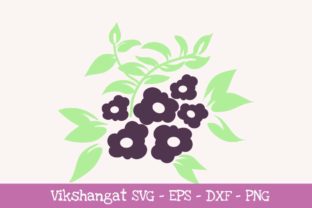
Mastering Digital Floral Designs: A Complete Guide to Purple Flowers Word Art Files
In the vibrant world of DIY crafting and personalized design, few elements evoke elegance and creativity quite like floral motifs. Specifically, the "Purple Flowers Floral" word art collection has emerged as a favorite among crafters for its versatility and aesthetic appeal. However, purchasing a digital download is only the first step in the creative journey. To truly unlock the potential of these designs, one must understand the technical ecosystem of vector files, cutting machine compatibility, and the practical applications of digital word art.
This guide explores the nuances of using SVG, EPS, DXF, and PNG files for vinyl decals and paper crafting. Whether you are a seasoned Cricut user or a Silhouette beginner, understanding these formats ensures your projects transition smoothly from screen to physical masterpiece.
Understanding Digital File Formats for Crafting
When you acquire a digital download described as "Purple Flowers Floral and Flowers Floral SVG EPS DXF PNG Files," you are not receiving a single image, but rather a suite of specialized formats. Each file type serves a distinct purpose within the crafting software environment. Understanding the difference between them is critical for avoiding frustration during the design phase.
The Role of Vector vs. Raster Graphics
To grasp why multiple formats exist, we must distinguish between vector and raster graphics. The SVG (Scalable Vector Graphics), EPS (Encapsulated PostScript), and DXF (Drawing Exchange Format) files included in this package are vectors. Vectors are composed of mathematical paths rather than pixels. This means they can be resized infinitely without losing quality or becoming pixelated. For cutting machines, vectors provide the precise cut lines necessary for clean vinyl decals and intricate paper cuts.
Conversely, the PNG (Portable Network Graphics) file is a raster image made of pixels. While high-resolution, it does not contain inherent cut paths. It is primarily used for print-then-cut projects, sublimation transfers, or as a reference trace when vector files fail to load correctly.
Navigating Cutting Machine Compatibility
A common misconception in the digital crafting community is that all files work universally across all machines. In reality, software licensing and versioning dictate which format you should use. The "Purple Flowers Floral" package includes specific instructions that every crafter must heed to ensure success.
Cricut Explore and Maker Users
For users of Cricut Design Space, the SVG file is the gold standard. Cricut’s native software reads SVGs seamlessly, preserving layers, colors, and grouping. When you upload the Purple Flowers word art as an SVG, the machine recognizes exactly where to score, draw, or cut. If you experience layering issues, ensure you are uploading the correct file and not accidentally selecting the PNG, which would require manual tracing.
Silhouette Cameo Requirements
Silhouette users face a unique set of requirements due to software tiering. This is a crucial point of education for new owners:
- Silhouette Designer Edition: If you have purchased the upgrade to Designer Edition (or higher), you can import the SVG file directly. This edition unlocks native SVG support, allowing for the easiest workflow.
- Standard/Basic Edition: If you are using the free basic version of Silhouette Studio, you cannot open SVG files. You must use the DXF file included in the download. DXF is the universal exchange format that basic Silhouette software recognizes as a cuttable vector.
Important Troubleshooting Note: In rare situations involving older versions of software or corrupted downloads, neither the SVG nor the DXF may function correctly. In these instances, do not panic. Import the PNG file into your software and use the "Trace" feature. While this adds an extra step, it guarantees you can still utilize the design regardless of software limitations.
The Significance of Word Art in Modern Crafting
Why choose "word art" over a simple illustration? The Purple Flowers Floral design represents a convergence of typography and botany that serves modern communication needs. In an era dominated by digital screens, physical word art offers a tactile connection to language and sentiment.
Versatility Across Mediums
Word art vinyl decals bridge the gap between home decor and personalized gifting. Because this design combines text with floral imagery, it functions as both a label and a decoration. Practical applications include:
- Home Organization: Creating elegant labels for glass jars, pantry containers, or storage bins where the floral element softens the utilitarian nature of the label.
- Event Signage: Wedding welcome signs, table numbers, or memorial displays where purple flowers symbolize dignity, admiration, and tradition.
- Apparel Customization: Heat transfer vinyl (HTV) applications on tote bags, t-shirts, or aprons for garden clubs, florists, or botanical enthusiasts.
- Paper Crafting: Scrapbook titles, card fronts, and journaling accents where the vector lines allow for precise ink pen detailing alongside cutting.
Best Practices for Working with Digital Downloads
Acquiring the file is instantaneous, but mastery requires preparation. Before importing your Purple Flowers Floral files into any program, follow these educational best practices to maintain file integrity and project quality.
File Management and Safety
Digital downloads often arrive as ZIP archives. Always unzip the folder before attempting to upload files to your cutting software. Most programs cannot read files directly from a compressed state. Furthermore, create a dedicated folder structure on your computer for your crafting assets. Losing a licensed digital file due to poor organization is a preventable setback.
Verifying Software Capabilities
Before purchasing or downloading, verify your machine's capabilities. As noted regarding the Silhouette Basic Edition, assuming compatibility leads to wasted time. Check your software version number. If you are using legacy hardware or software, test the DXF or PNG trace method immediately upon download to ensure the product meets your technical constraints.
Resizing and Proportion
Because SVG, EPS, and DXF are vector formats, you have immense freedom in sizing. However, word art has legibility thresholds. When resizing the Purple Flowers design for small applications like pen barrels or keychains, ensure the font strokes remain thick enough for your blade to cut cleanly. Conversely, when enlarging for wall decals, check that the design fits within your cutting mat dimensions or utilize the "slice" or "weld" features in your software to manage multi-page assemblies.
Expanding Creative Horizons Through Technical Literacy
The intersection of technology and artistry defines modern crafting. By understanding the specific roles of SVG, DXF, EPS, and PNG files, you move beyond being a mere consumer of digital products to becoming a proficient digital fabricator. The "Purple Flowers Floral" word art is more than just a pretty picture; it is a tool that, when handled with technical knowledge, produces professional-grade results.
Educating yourself on file formats protects your investment and expands your creative possibilities. Whether you are tracing a PNG because of software limitations or manipulating complex vector layers in Designer Edition, each technical hurdle overcome adds to your repertoire of skills. Ultimately, the goal of digital crafting tools is to remove barriers between imagination and creation. With the right files and the right knowledge, your purple floral visions can bloom in vinyl, paper, and beyond.
Frequently Asked Questions About Floral Vector Files
Can I sell items made with this digital download?
Always check the specific license agreement included with your purchase. Typically, digital downloads grant personal use rights or limited commercial rights for physical end products, but prohibit reselling or sharing the digital files themselves.
Why does my DXF file look different than the preview?
DXF files sometimes lose internal grouping or color separation during conversion. This is normal. You may need to regroup elements or reassign cut lines manually in your software. The geometry remains accurate even if the visual styling requires adjustment.
Is the PNG file transparent?
Yes, crafting-specific PNG files usually feature a transparent background to facilitate easy tracing and print-then-cut workflows. If you see a white box around the flowers, ensure you are viewing it in a compatible image viewer or your cutting software.